Leave Your Message

What Is a Thermal Label Printer and How Does It Work?

A Thermal Label Printer creates text, barcodes, and images without using liquid ink. Instead, it applies controlled heat to produce clear marks on labels. This simple process makes it useful in warehouses, retail counters, clinics, offices, and shipping areas.

There are two main types. Direct thermal models heat chemically treated labels directly. The paper darkens where the printhead touches it. These printers are practical for receipts, short-term tags, and delivery labels. However, heat, sunlight, and friction may cause the image to fade. Thermal transfer models use heat to move ink from a ribbon onto the label surface. They usually provide longer-lasting results for product identification, outdoor storage, and asset tracking.

Inside the printer, a printhead presses against the label material. Tiny heated elements activate in precise patterns as the label moves forward. A sensor helps detect gaps, marks, or label edges. The printer then positions each label accurately. Small details matter here. Incorrect label settings can create blank spaces, crooked printing, or wasted materials.

Choosing the right model requires more than comparing print speed. Consider label size, surface type, daily volume, connection options, and expected durability. A compact desktop printer may suit a small workspace, while industrial equipment handles demanding environments. No printer is perfect. Even reliable machines need clean printheads, suitable labels, and regular checks. Understanding how the technology works helps users select equipment wisely and avoid preventable printing problems.
What Is a Thermal Label Printer and How Does It Work?

What Is a Thermal Label Printer?

A thermal label printer creates text, barcodes, and images with controlled heat. It usually prints without liquid ink. The printer moves a coated label beneath a heated printhead. Tiny heated dots form each part of the image. This process is fast, quiet, and useful for shipping, storage, retail, and healthcare identification. However, ink-free does not mean maintenance-free. Dust, poor label quality, or excessive heat can reduce print clarity.

Most thermal label printers use direct thermal or thermal transfer printing. Direct thermal printing activates heat-sensitive material on the label itself. It suits short-term labels, receipts, temporary bins, and daily dispatches. Thermal transfer printing uses a heated ribbon to place pigment onto the label. It generally provides better resistance to light, moisture, and handling. The right choice depends on label life, surface type, and storage conditions. In practical testing, small barcodes can be surprisingly difficult to scan. Fast printing is not always better.

Tips: Clean the printhead regularly with the recommended method. Store labels away from heat and humidity. Test a sample before printing a full batch. Check barcode contrast with a scanner, not only your eyes. A few seconds of testing can prevent hundreds of unclear labels. I still find this step easy to skip. That is the part worth reconsidering.

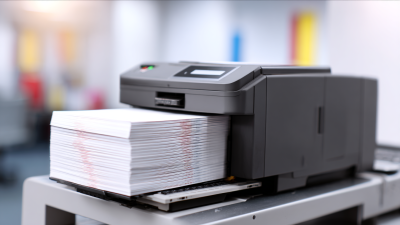
What Is a Thermal Label Printer and How Does It Work?

A thermal label printer creates images by applying heat to a label surface. Direct thermal printers heat special chemically coated labels, while thermal-transfer printers use heat to transfer ink from a ribbon. Printhead resolution is commonly measured in dots per inch (DPI).

Common thermal printhead resolutions are 203 DPI for general-purpose labels, 300 DPI for finer text and graphics, and 600 DPI for highly detailed small-format printing. Higher resolution produces more detail but may require slower printing and higher hardware costs.

How Thermal Label Printing Technology Works

A thermal label printer creates images by applying controlled heat to label material. The process is quiet and uses no liquid ink. Inside the printer, a printhead contains hundreds of tiny heating elements. Each element activates in precise patterns. These heated points form letters, barcodes, and simple graphics as the label moves across the printhead.

The printing method depends on the label construction. Direct thermal labels contain a heat-sensitive coating that turns dark when heated. They work well for short-term shipping labels, receipts, and temporary tags. Thermal transfer printing uses a ribbon between the printhead and the label. Heat transfers pigment from the ribbon onto paper, plastic, or synthetic material. This creates labels that usually resist moisture, sunlight, and abrasion more effectively.

A sensor detects label gaps, marks, or the liner edge. The printer then adjusts feeding and printing positions. Correct temperature, speed, and pressure matter. Too much heat can blur small text or darken the background. Too little heat can produce weak barcodes. Humidity and dusty labels can also affect results. A practical check is scanning several labels, not just viewing them. Even a properly adjusted printer may show uneven darkness. That limitation is easy to overlook. Regular cleaning and accurate media settings improve consistency, although they do not remove every printing problem.

What Is a Thermal Label Printer and How Does It Work? - How Thermal Label Printing Technology Works

Technology Dimension Direct Thermal Printing Thermal Transfer Printing How It Affects Label Production
Basic definition Creates an image directly on heat-sensitive label material. Transfers ink from a coated ribbon onto the label surface using heat. Both methods use a heated printhead instead of liquid ink or toner.
Main consumables Heat-sensitive paper or synthetic direct-thermal stock. Paper or synthetic labels plus a thermal transfer ribbon. Direct thermal uses fewer consumables, while transfer printing requires ribbon management.
Image-forming reaction Heat activates chemicals in the label coating, producing a dark image. Heat melts or softens the ribbon coating so pigment or resin bonds to the label. The printhead controls image formation by selectively heating individual dots.
Printhead contact The printhead contacts the heat-sensitive label through controlled pressure. The printhead contacts the ribbon and label in a layered path. Clean, correctly aligned printhead elements are essential for consistent print quality.
Common print resolutions Typically 203, 300, or 600 dots per inch (dpi), depending on the printer model. Typically 203, 300, or 600 dpi, depending on the printer model. Higher resolution supports smaller text, fine graphics, and dense barcodes.
Color capability Usually monochrome; specialized heat-sensitive media can produce limited colors. Usually monochrome; selected ribbons and multiple print passes can support additional colors. Most shipping, inventory, and barcode labels are printed in a single dark color.
Resistance to heat and light The image may darken, fade, or become less readable when exposed to heat, sunlight, or chemicals. Generally provides better resistance when the correct ribbon and label material are selected. Material selection should match the label’s storage and operating environment.
Resistance to abrasion and moisture Performance varies; standard paper stock is less suitable for prolonged moisture or rubbing. Resin-based ribbons on synthetic stock can provide strong abrasion and moisture resistance. Synthetic substrates and suitable ribbon formulations improve durability.
Typical applications Shipping labels, receipts, short-term product labels, tickets, and temporary identification. Asset tags, laboratory labels, product identification, outdoor labels, and long-term tracking. The required service life and environmental exposure usually determine the method.
Maintenance requirements Requires printhead and platen-roller cleaning; no ribbon path needs adjustment. Requires printhead and platen-roller cleaning plus correct ribbon loading and alignment. Dust, adhesive residue, and incorrect printhead pressure can cause blank lines or uneven density.
Operating cost factors Lower consumable complexity, but heat-sensitive media can cost more than ordinary paper. Includes both label stock and ribbon consumption, with costs varying by ribbon type. Total cost depends on media price, label volume, waste, durability requirements, and maintenance.
Basic printing sequence The printer receives digital data, positions the label, heats selected dots, and advances the media. The printer receives digital data, positions the label and ribbon, heats selected dots, and advances both materials. Sensors help detect gaps, marks, or continuous media so each label is positioned correctly.
Best selection criteria Choose when labels are used for a relatively short period and exposure is controlled. Choose when labels require longer readability or resistance to abrasion, moisture, chemicals, or heat. Always test the printer, substrate, ribbon, barcode, and environmental conditions together.

Note: Performance varies with printer settings, printhead condition, label substrate, ribbon formulation, storage conditions, and exposure time.

What Are the Main Types of Thermal Label Printers?

A thermal label printer creates images by applying controlled heat to a label surface. Its printhead contains many tiny heating elements. Each element activates specific dots, forming letters, barcodes, or simple graphics. The printer feeds the label beneath the printhead at a steady speed.

The main types are direct thermal and thermal transfer printers. Direct thermal printers heat chemically treated labels directly. They use no ink or ribbon. This design keeps operation simple and reduces consumable waste. It suits receipts, short-term shipping labels, tickets, and temporary inventory tags. However, heat, sunlight, and friction can darken or fade the image. That limitation is easy to overlook.

Thermal transfer printers use a ribbon between the printhead and the label. Heat transfers wax, resin, or blended material onto the surface. The result usually resists moisture, abrasion, and moderate temperature changes better. These printers work well for product identification, warehouse shelving, laboratory samples, and long-lasting asset labels. They require more setup, though. Ribbon selection affects clarity, durability, and cost.

In real workplaces, the choice is less tidy than buying guides suggest. A direct thermal unit may be reliable for indoor labels, yet fail near a warm loading dock. A thermal transfer unit may last longer, but its ribbon handling can slow busy staff. Test the actual label material and storage conditions before purchasing. Small trials reveal problems that specifications often miss.

What Components Make Up a Thermal Label Printer?

What Is a Thermal Label Printer and How Does It Work?

A thermal label printer creates images by applying controlled heat to a label surface. Its core component is the thermal printhead. Tiny heating elements activate individual dots across the label’s width. These dots form text, barcodes, and simple graphics. The printer’s controller decides when each element heats. Accuracy depends on timing, temperature, and label movement.

The platen roller presses the label against the printhead. It also pulls the material through the printer at a steady speed. A stepper motor drives this movement. Label guides keep the roll aligned, although small shifts can still affect print quality. Optical or gap sensors detect label edges and backing gaps. Some sensors read black marks instead. These parts help the printer position each label correctly.

A direct thermal printer uses heat-sensitive material, so it needs no ribbon. A thermal transfer model uses a ribbon between the printhead and label. The ribbon unwinds from a supply spindle and collects on a take-up spindle. Both designs include a power board, control board, casing, and connection ports. Ventilation protects internal circuits from excessive heat. Dust remains a practical problem. It can block sensors or create pale lines on labels. Regular cleaning helps, but cleaning too aggressively may damage the printhead. The printer is precise, not perfect. Poor label stock, incorrect heat settings, or a worn roller can still produce unreadable results.

Where Are Thermal Label Printers Commonly Used?

Thermal label printers are common wherever information must move quickly from a screen to a physical surface. In warehouses, workers print shipping labels, pallet tags, and inventory codes beside packing stations. The 2023 Global Parcel Shipping Index recorded 161.8 billion parcels worldwide in 2022. That volume explains the demand for fast, readable labels.

Retail stores use thermal printers for shelf labels, price changes, receipts, and return stickers. Healthcare facilities print patient wristbands, specimen labels, and medication instructions. Manufacturing sites use them for parts, cartons, safety checks, and production batches. Thermal printing avoids liquid ink, which reduces smudging during busy handling. Direct thermal labels suit short-term uses, while thermal-transfer labels often last longer under heat, friction, or moisture.

Speed matters.

A typical desktop unit can print several labels each second, depending on resolution, label size, and workflow design. The 2024 Global Label Printing Market report identifies logistics, retail, healthcare, and manufacturing as major demand areas for digitally produced labels. However, that assumption is too neat. Thermal labels can fade under sunlight, and adhesive performance varies across cardboard, plastic, and cold surfaces. In real operations, staff still need to test materials before scaling a process. A perfectly printed barcode is useless if the scanner, label stock, or software creates a mismatch.